Games and setup sections, made for gamers too
Show the games you play with your in-game handles so people can add you, and list your gear with product links and a setup photo. Free on every plan.


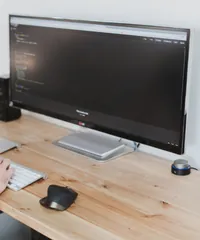

Games and setup
What you get
- Game libraryAdd games from the catalog, each with its logo and your in-game handle.
- Easy to find youVisitors see what you play and how to add you, without asking in chat.
- Setup sectionList your PC, monitor, keyboard, mouse, headset, and more by category.
- Product linksLink each item to where people can buy it.
- Setup photoAdd a photo of your desk next to your gear list.
- Setup clicksYour statistics show how often your gear links are opened.
Show what you play
The game library lists the games you play, each with its logo and your in-game handle or ID, so people can add you without asking. Pick games from the catalog, enter your handles, and drag them into order. The game library guide covers the details.
Answer the gear question once
The setup section lists your gear by category, from your PC specs and monitor to your keyboard, mouse, headset, and chair. Add details like the amount of RAM, link each item to where it is sold, and upload a photo of your setup. Setup clicks show up in your statistics. The setup guide explains each option, and the guide for gamers shows how a full gaming page comes together.
Frequently asked questions
Yes. The game library and the setup section are included on every plan.
Games come from a catalog the mychar.gg team maintains. Suggest a missing game on the suggestions board.
Yes. Drag games and setup items into the order you want.
Claim your username
Free forever. Your page is live in minutes.
mychar.gg/
mia
- Free forever
- No credit card needed