Games
Add games from the catalog with your in-game handle so visitors can find you, then reorder, edit, or remove them from the builder at any time.
The games section lets you display which games you play and your in-game usernames, so visitors can find and add you.
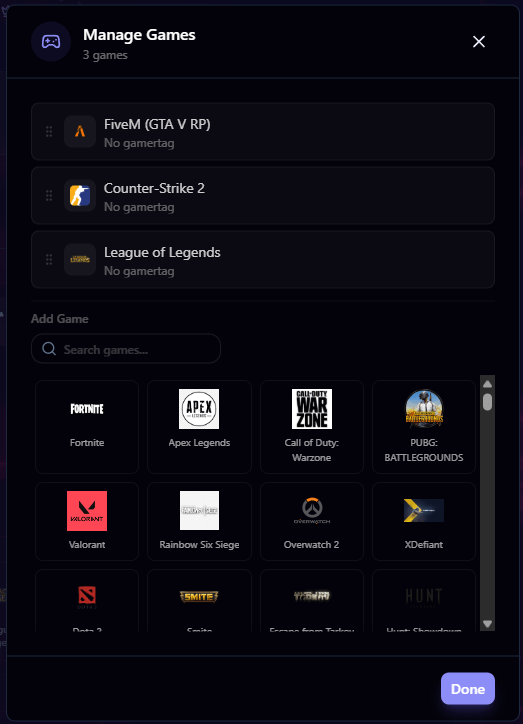
Adding a Game
- Go to Customize from your dashboard
- Click Manage Games in the builder sidebar
- Click Add Game
- Select a game from the catalog
- Enter your gamer handle (your in-game username or ID)
- Save
Game Catalog
Games are selected from a predefined catalog maintained by the mychar.gg team. Each game comes with its own logo that displays on your profile.
Don't see your game in the catalog? Suggest it in our Discord suggestions channel and we'll consider adding it.
Managing Games
- Reorder: Drag games to change their display order on your profile
- Edit: Update your gamer handle for any game at any time
- Delete: Remove a game from your profile
How Games Display
On your public page, each game shows:
- The game's logo
- Your gamer handle for that game
Visitors can see at a glance what you play and how to find you in-game.
Links
Add predefined or custom links to your page, reorder them, upload custom icons, and pick a display style. Elite adds embed previews per link.
Achievements
How achievements work: claim Discord member and booster badges or donation achievements via Stripe, then choose which ones your page displays.
Claim your username
Free forever. Your page is live in minutes.
mychar.gg/
mia
- Free forever
- No credit card needed