The best bio link setup for Twitch streamers
How to set up a link-in-bio page that actually helps your stream: your Twitch and Discord front and center, clips on the page, and a schedule people can find.

September 15, 2026 · 2 min read
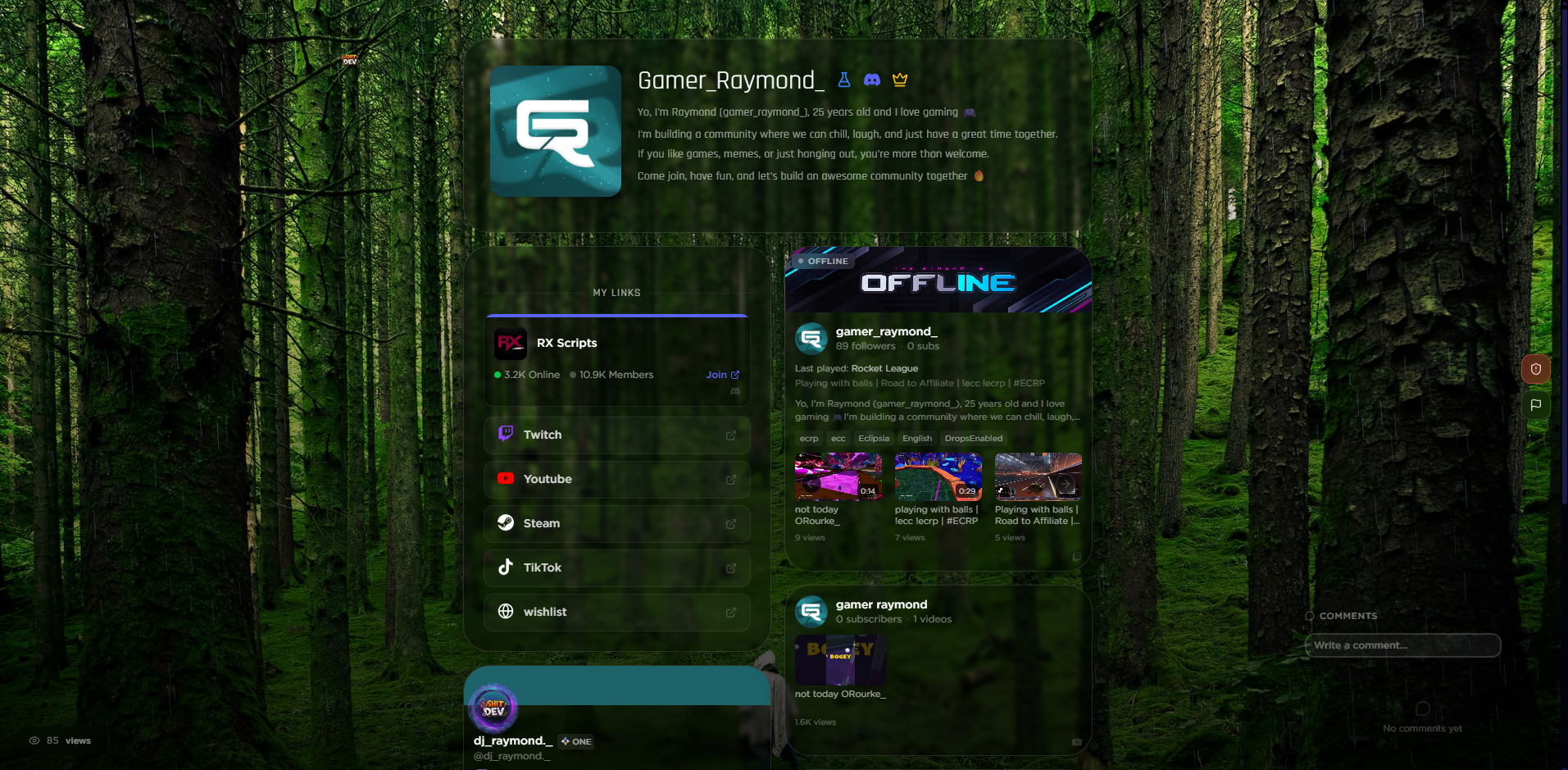
A good bio link for a Twitch streamer does three things: it sends people to your stream and Discord fast, it shows what your content is like without making them click away, and it tells them when you go live. On mychar.gg you can put your Twitch and Discord at the top, embed clips that play on the page, and add your schedule, all on one link you keep in every profile. Here is how to set it up.
Put Twitch and Discord first
The two links that matter most for a streamer are your Twitch channel and your Discord server, so place them at the top where they are the first thing anyone sees. mychar.gg can show your Twitch inline and your Discord server as an embed, so visitors get a live sense of both without leaving the page. Everything else, your other socials and links, sits below that.
Show clips on the page
A clip does more than a description. Add a few of your best clips so a first-time visitor can watch a highlight in seconds and decide to follow. Keep the selection small and current, and swap them as you make better ones. This is the part most link pages cannot do, since they only link out.
Add your schedule
If you stream on a routine, make it easy to find. A clear schedule turns a one-time viewer into someone who comes back at the right time. Put it near the top with your Twitch link so it is part of the first impression, not buried at the bottom.
Keep one link everywhere
The point of a bio link is that it never changes. Put your mychar.gg link in your Twitch about section, your Discord, and every social profile, then update the page whenever your content changes instead of editing links in ten places. Our guide for Twitch covers the platform-specific details, and the guide for streamers covers the wider setup.
Watch what gets clicked
Once it is live, the built-in analytics show which links people actually use. If your clips get more clicks than your schedule, move them up. If a social link gets ignored, drop it. A bio link is worth tuning, and the numbers tell you what to change.
Build it
The Twitch integration, clips, and advanced analytics are part of the paid plans; you can compare them on the pricing page. The getting-started guide covers the basics, and you can create your page for free and have the first version ready before your next stream.
Keep reading
How to add music to your link-in-bio page
A short guide to adding background music to your link-in-bio page: uploading a track, setting it up in the music player, and the etiquette that keeps visitors from muting you.
September 13, 2026
How to make an aesthetic bio page: effects, music, and cursors
A step-by-step walkthrough for building an aesthetic link-in-bio page: layout, background effects, a music player, a custom cursor, and the small touches that make it feel designed.
August 10, 2026