Account Settings
Change your username or email from account settings, the rules usernames must follow, and why changing your username changes your page URL.
Manage your account from Settings on your dashboard sidebar.
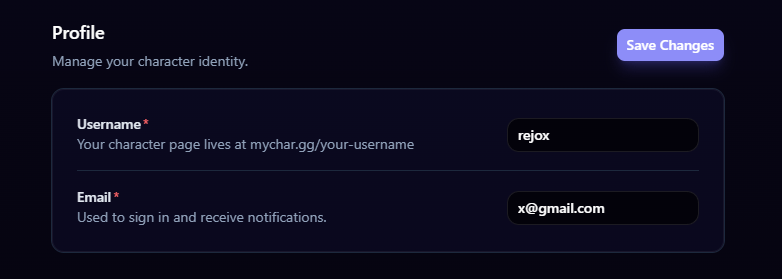
Changing Your Username
Your username is your profile URL (mychar.gg/yourusername). You can change it at any time:
- Go to Settings
- Find the Username field
- Enter your new username
- Save
Username rules:
- 3 to 20 characters
- Lowercase letters, numbers, hyphens, and underscores only
- Must be unique (if someone else has the username, you'll need to pick a different one)
Changing your username changes your profile URL. Any existing links to your old URL will stop working. Make sure to update your links everywhere after changing your username.
Changing Your Email
To update the email address associated with your account:
- Go to Settings
- Find the Email field
- Enter your new email address
- Save
- Check your new email for a verification link
Discord Connection
Connect or disconnect your Discord account from the settings page. See Connecting Discord for full details.
Statistics & Analytics
What mychar.gg analytics track: page views, clicks per link, and views over time, with live visitors and country data on Pro and Elite plans.
Password & Security
Change your password from security settings, reset it with an emailed link if you forget it, and how Discord login works without a password.
Claim your username
Free forever. Your page is live in minutes.
mychar.gg/
mia
- Free forever
- No credit card needed