Custom Cursors
Upload custom cursors for your page on Pro or Elite: PNG, SVG, GIF, or ICO files up to 5 MB, with a library of 3 to 10 cursors by plan.
Custom cursors are a Pro and Elite feature.
Replace the default mouse cursor with a custom one when visitors browse your page. Upload your own cursor image for a unique touch.
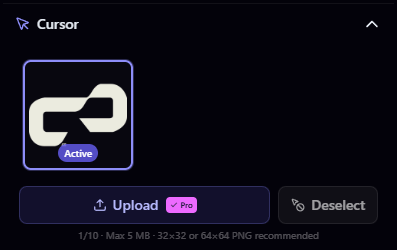
Uploading a Cursor
- Open the Cursor section in the builder sidebar
- Click Upload or drag and drop your cursor file
- Your cursor is saved to your library and set as active
File Requirements
| Property | Value |
|---|---|
| Max file size | 5 MB |
| Accepted formats | PNG, SVG, GIF, ICO |
| Recommended size | 32 × 32 or 64 × 64 pixels |
Keep your cursor images small (32×32 or 64×64) for the best experience. Larger cursors may look blurry or behave unexpectedly.
Cursor Limits
| Plan | Max Cursors |
|---|---|
| Free | 0 (not available) |
| Pro | 3 |
| Elite | 10 |
Managing Cursors
- Switch: Click any cursor in your library to set it as active
- Delete: Remove cursors you no longer want
- Disable: Set the active cursor to "None" to revert to the default system cursor
Claim your username
Free forever. Your page is live in minutes.
mychar.gg/
mia
- Free forever
- No credit card needed