Colors & Theme
Control the color scheme and visual style of your page.
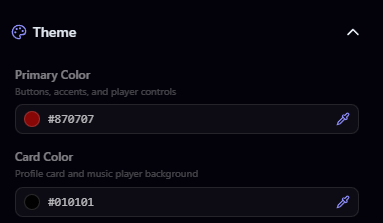
Primary Color
Your primary color is used for buttons, highlights, and accent elements throughout your page. Click the color picker to choose any color you want.
Text Color
Set the main text color for your page. This affects your display name, bio, and other text content. Choose a color that contrasts well with your background for readability.
Card Colors
Cards are the containers that hold your content sections (links, games, etc.). You can customize:
- Card Background Color: The fill color of your cards
- Card Opacity: How transparent the cards are (0–100%)
- Card Blur: A blur effect behind semi-transparent cards (frosted glass look)
Icon Style
Control how platform icons appear on your page:
- Free: Default, Bordered, and Glow styles
- Pro: adds animated styles like Neon, Bounce, and Pulse
- Elite: adds exclusive styles like Rainbow, Glitch, Shake, and Flicker
You can also adjust the icon size to make icons larger or smaller.
Backgrounds & Effects
Upload image or video backgrounds up to 50 MB, adjust opacity, blur, and gradients, and add effects from rain on Pro to matrix rain on Elite.
Cards & Layout
Choose from four page layouts including the Elite grid, style card borders, animations, and hover effects, and rename section titles on Pro.
Claim your username
Free forever. Your page is live in minutes.
- Free forever
- No credit card needed