Discord
Connect your Discord account to unlock Discord-based features on your mychar.gg page.
How to Connect
- Go to Settings from your dashboard sidebar
- Find the Discord Connection section
- Click Connect Discord
- You'll be redirected to Discord to authorize the connection
- After authorizing, you'll be redirected back to mychar.gg
What Permissions Are Requested
- Identify: Access your Discord username, avatar, and profile info
- Join Servers: Optionally join the mychar.gg Discord server on your behalf
Auto-Join Server
During the connection flow, you can choose to automatically join the mychar.gg Discord server. This is optional.
What Data Is Stored
- Your Discord user ID
- Your Discord username
Features
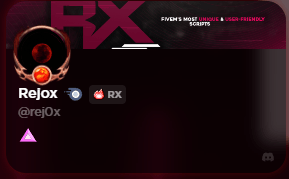
Discord Section on Your Profile
Display a Discord section on your public profile that shows your Discord information to visitors.
To enable or disable it:
- Open the builder
- Toggle the Discord section visibility on or off
Discord Presence
When enabled, your Discord presence (online/offline status) can be displayed on your profile, letting visitors see whether you're available.
Discord Achievements
Two achievements are tied to your Discord connection:
Discord Member Badge - Verify that you're a member of the mychar.gg Discord server.
- Make sure your Discord account is connected
- Join the mychar.gg Discord server (if you haven't already)
- Go to Achievements from your dashboard
- Click Claim on the Discord Member achievement
Discord Booster Badge - Verify that you're actively boosting the mychar.gg Discord server.
- Make sure your Discord account is connected
- Boost the mychar.gg Discord server
- Go to Achievements from your dashboard
- Click Claim on the Discord Booster achievement
Preview
Disconnecting Discord
- Go to Settings from your dashboard sidebar
- Find the Discord Connection section
- Click Disconnect
Disconnecting will remove your Discord data from mychar.gg and disable Discord-based features on your profile (including Discord achievements and Discord presence).
Integrations
Overview of platform integrations: Discord on every plan, YouTube and Twitch on Pro and Elite, each connected through the platform's OAuth flow.
YouTube
Connect your YouTube channel on Pro or Elite to show latest or pinned videos, set the video count, and toggle your channel banner on or off.
Claim your username
Free forever. Your page is live in minutes.
- Free forever
- No credit card needed