Profile Overview
Your public profile page is what visitors see when they go to mychar.gg/yourusername. It displays your avatar, name, bio, links, games, achievements, clips, and more, all styled with your customization choices.
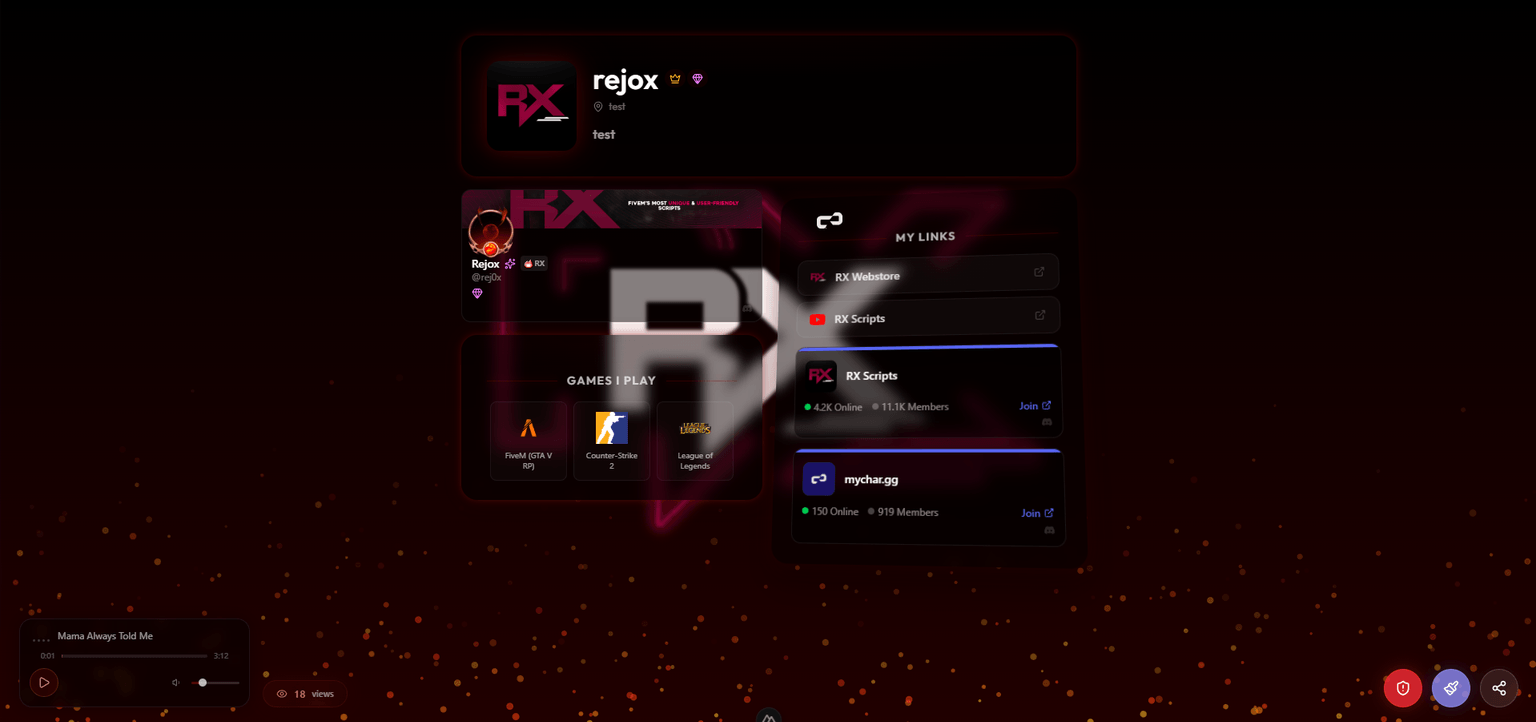
Profile Sections
Your page is built from these sections, each of which can be shown or hidden:
| Section | Description |
|---|---|
| Avatar | Your profile picture, displayed with your chosen shape and size |
| Display Name | A custom name shown on your page (Pro+), or your username |
| Pronouns | Optional pronouns displayed next to your name |
| Bio | A short description about you |
| Location | Optional location text |
| Links | Your social media, gaming, and custom links |
| Games | Your gaming profiles with handles |
| Achievements | Badges you've earned and chosen to display |
| Setup | Your gaming gear, specs, and setup photo |
| Clips | Gameplay videos and highlights (Pro+) |
| Discord | Discord presence and information |
| Audio Player | Background music player (if you've added tracks) |
| View Counter | Total page view count (can be toggled on/off) |
Section Visibility
You control which sections appear on your page. In the builder, you can toggle each section on or off. Hidden sections are only hidden from visitors. Your data is still saved.
Section Ordering
You can reorder the sections on your profile to put the most important content first. Drag sections into the order you prefer from the builder.
Visitor Interactions
When someone visits your profile, they can:
- Click your links: tracked in your statistics
- Watch your clips: opens in a player modal
- View your setup: click the setup photo to see it full size
- Listen to your music: audio player controls appear on the page
- Report your page: if they believe it violates the Acceptable Use Policy
Sharing Your Page
Where to share your mychar.gg page URL, from Discord bios and Twitch panels to Instagram and TikTok, with tips for picking a memorable username.
Comments
Enable the comments widget on Pro or Elite so visitors can post on your page: pick a corner, limit posting to friends, and delete or report.
Claim your username
Free forever. Your page is live in minutes.
- Free forever
- No credit card needed