Statistics & Analytics
mychar.gg tracks how your page is performing so you can see who's visiting and what they're clicking on.
Accessing Your Stats
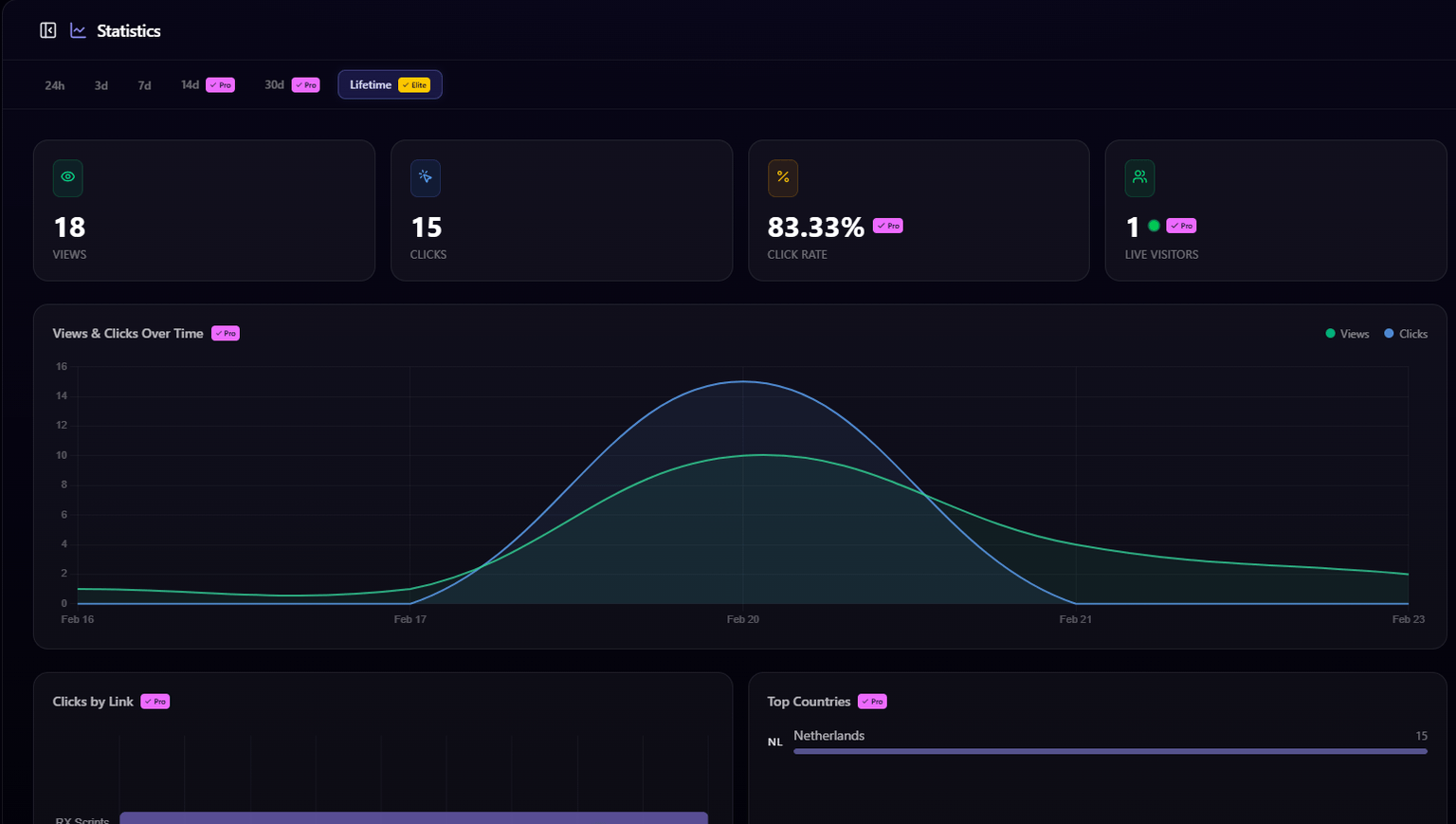
Go to Statistics from your dashboard sidebar to view your analytics.
What's Tracked
Page Views
The total number of times your profile has been viewed. Each visit counts as one view.
Link Clicks
The total number of times visitors have clicked on your links. Broken down per link so you can see which ones perform best.
Top Performing Links
A ranking of your links by click count, so you can see at a glance which platforms drive the most engagement.
Views Over Time
An interactive chart showing your page views over a selected time period, so you can spot trends and see when traffic spikes happen.
Time Period Filters
The time period you can view depends on your plan:
| Filter | Free | Pro | Elite |
|---|---|---|---|
| Last 24 hours | Yes | Yes | Yes |
| Last 3 days | Yes | Yes | Yes |
| Last 7 days | Yes | Yes | Yes |
| Last 14 days | - | Yes | Yes |
| Last 30 days | - | Yes | Yes |
| Lifetime | - | - | Yes |
Pro & Elite Features
Live Visitors
See how many people are currently on your page in real-time. The live visitor count updates automatically.
Geographic Data
View your top countries to see where in the world your visitors are coming from. This helps you understand your audience and tailor your content.
View Counter on Your Profile
You can display a total view counter on your public profile page. Toggle it on or off from the builder's visibility settings. Visitors will see the total number of times your page has been viewed.
Usage & File Limits
Upload limits per plan for avatars, backgrounds, clips, and fonts, file size caps and accepted formats, and the 7 day downgrade grace period.
Account Settings
Change your username or email from account settings, the rules usernames must follow, and why changing your username changes your page URL.
Claim your username
Free forever. Your page is live in minutes.
- Free forever
- No credit card needed