Twitch
Connect your Twitch channel to display your live status, clips, and stream schedule on your mychar.gg profile.
How to Connect
- Go to Settings from your dashboard sidebar
- Find the Twitch Connection section
- Click Connect Twitch
- You'll be redirected to Twitch to authorize the connection
- After authorizing, you'll be redirected back to mychar.gg
What Permissions Are Requested
- Profile info: Your channel name, description, profile image, and banner
- Stream data: Live status, schedule, tags, and subscriber count
- Clips: Your channel's top clips
What Data Is Stored
- Your Twitch user ID
Features
To enable or disable the Twitch section:
- Open the builder
- Toggle the Twitch section visibility on or off
Settings
Configure how your Twitch content is displayed in the builder. Twitch has the most customization options of all integrations.
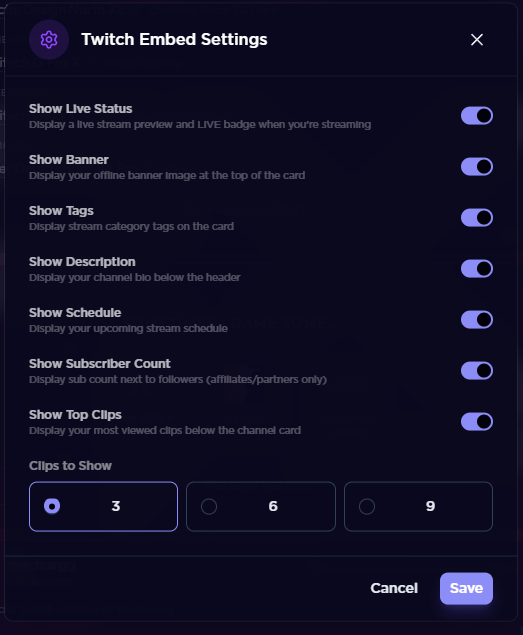
Live Status - When enabled, a LIVE badge appears on your profile whenever you're streaming.
Channel Banner - Toggle whether your Twitch channel banner (offline image) is displayed.
Stream Tags - Show or hide your stream category tags (e.g., "FPS", "Competitive", "English").
Channel Description - Toggle whether your Twitch channel description is displayed below the header.
Stream Schedule - When enabled, your upcoming scheduled streams are shown so visitors know when to tune in.
Subscriber Count - Display your subscriber count on your profile. Only available for Twitch affiliates and partners.
Top Clips - Show your channel's top clips. You can configure the number of clips displayed (default is 3).
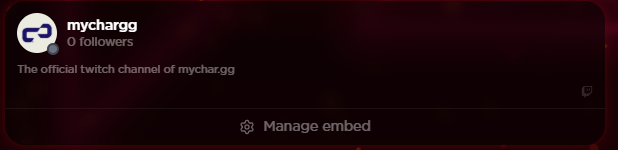
Preview
Disconnecting Twitch
- Go to Settings from your dashboard sidebar
- Find the Twitch Connection section
- Click Disconnect
Disconnecting will remove your Twitch data from mychar.gg and hide the Twitch section from your profile.
Claim your username
Free forever. Your page is live in minutes.
- Free forever
- No credit card needed